
Make.com Review
If you’ve ever copied a customer’s email from a form into a spreadsheet, then into your email tool, then into your CRM, you’ve done the same job three times. Automation is the quiet shortcut that turns that kind of busywork into a one-time setup.
This Make.com review looks at what actually matters in 2026: how pricing works now (it’s credits), what the real limits feel like, which workflows fit best for side hustles, and when Make is the wrong pick.
Disclosure: our content is reader-supported, which means we may earn commissions from links at no cost to you.
What Make.com is
Make.com is a visual automation builder. You connect apps (modules) into a “scenario” that runs on a trigger, like a webhook, a scheduled check, or a new record in an app.
The part that trips people up is billing. Make used to talk about operations a lot; in 2026, the billing unit is credits. In plain terms, every time a module executes, you spend credits. Make explains the shift and the idea behind credits in its Help Center: credits as the billing unit.
Here’s the practical takeaway for side hustlers:
- A simple scenario can feel cheap, like paying per text message.
- A messy scenario can burn credits like leaving your car idling all day.
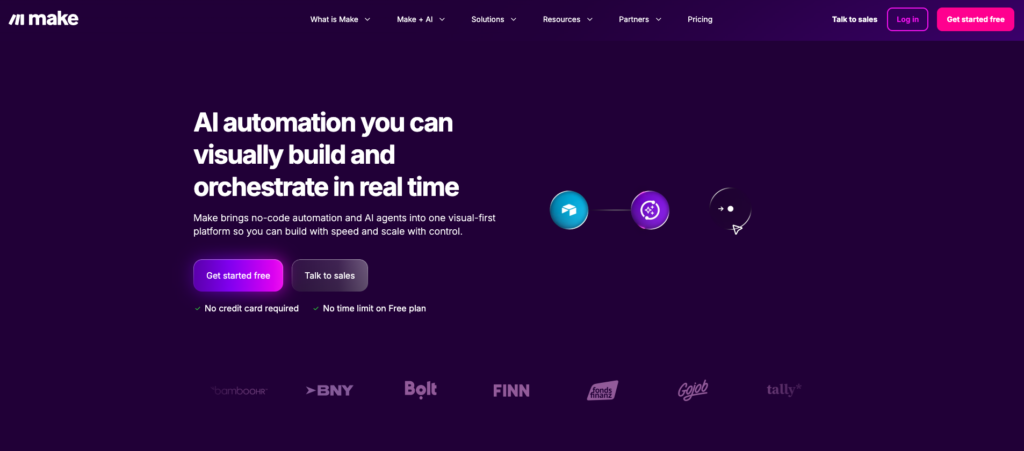
Make is strongest when you need more than a straight line. Routers, filters, iterators, and error handling let you build workflows that look more like a subway map than a single-track train. That matters when you’re juggling clients, lead sources, and offers.
Still, the power comes with a tradeoff: you have to think in “runs” and “module counts,” not just “I made an automation.”
Make.com pricing and limits
Make publishes current tiers and credit bundles on its pricing page: Make.com pricing & subscription packages. The page also clarifies the core rule: each module action in a scenario (like adding a Google Sheets row or fetching Gmail data) counts toward usage.
At a high level, the pricing ladder works like this:
- Free is real (no time limit), but small.
- Core and Pro start affordable, then scale by buying larger monthly credit bundles.
- Teams adds collaboration, and it’s priced per user.
- Enterprise is custom.
Get 1 month FREE of the Pro plan with code DOTCOMHUSTLE
Pricing and limits snapshot (as listed by Make, Jan 2026)
| Plan | Starting price (monthly) | Included credits/month | Notable limits to watch |
|---|---|---|---|
| Free | $0 | 1,000 | Tight usage ceiling, lower allowances |
| Core | $10.59 | 10,000 (scales up to 300,000) | Great starter tier, watch data transfer |
| Pro | $18.82 | 10,000+ (scales up to 8,000,000) | Better for heavier volume and advanced needs |
| Teams | $34.12 per user | Higher limits (varies by bundle) | Per-user cost adds up fast |
| Enterprise | Custom | Custom | Built for org controls and support |
Two limit details matter more than the sticker price:
- Overages cost more than plan credits. Make documents how add-on usage is priced in: extra credits policy. If you routinely exceed your monthly bundle, the “cheap plan” can turn into a monthly surprise.
- Data transfer can force upgrades. Make tracks monthly data transfer allowances by plan in its pricing adjustments notes: adjustments to plans and pricing. If your automations move images, PDFs, audio, or video, you can hit transfer limits before you hit credit limits.
Best Make.com use cases for side hustles
Credits feel abstract until you attach them to your week. Below are concrete workflows that match common hustles, plus rough monthly credit ranges based on module executions. Your exact totals depend on the apps and steps you use, and Make shows the credit cost per module in the editor.
1) Lead capture to “instant follow-up” (service gigs, coaching, local SEO)
Flow: Typeform (or Tally) submission → enrich/format → add to Airtable/Sheets → send email → Slack/Discord ping
Typical modules per lead: ~5
If you get 200 leads/month: ~1,000 credits/month
Best fit: Free can work if you keep it simple; Core is safer if you add routing and enrichment.
2) Client onboarding pack (freelancers, micro-agencies)
Flow: New signed contract → create folder → generate invoice → create Notion client page → send welcome email
Typical modules per client: ~8
If you onboard 30 clients/month: ~240 credits/month
Best fit: Free, unless you add lots of branching (like different onboarding paths per offer).
3) Etsy or Shopify order ops (print-on-demand, digital products)
Flow: New paid order → create fulfillment task → update inventory sheet → tag customer → send “next steps” email
Typical modules per order: ~6
If you ship 300 orders/month: ~1,800 credits/month
Best fit: Core, because commerce tends to grow fast and failures cost time.
4) Content repurposing pipeline (creator hustle)
Flow: New YouTube upload/RSS item → summarize → generate post variants → schedule to a social tool → log to database
Typical modules per item: ~8 to 15 (higher if you add AI and multi-platform posting)
If you repurpose 25 pieces/month: ~200 to 375 credits/month
Best fit: Free or Core, unless your AI steps are heavy.
One simple habit keeps costs down: use webhooks where possible. Scheduled polling can run checks often, even when nothing happened, which means you can pay for “empty laps.”
Hidden constraints, pros and cons, and who should skip Make.com (plus alternatives)
Make’s biggest strength is flexibility, and its biggest risk is the same thing. Complex scenarios are easy to keep expanding until they’re hard to debug and expensive to run.
Constraints that can inflate your bill or break reliability
- Retries and partial failures: if a scenario fails mid-run, earlier module executions still consumed credits. Error handlers help, but they add steps.
- Premium and heavy modules: some apps or actions cost more credits per execution. Always check the module’s credit cost before you scale.
- Data transfer ceilings: file-heavy workflows (media, PDFs, backups) can hit transfer limits even with plenty of credits, per Make’s plan notes: plan adjustments details.
Quick pros and cons
Pros: visual builder for complex logic, strong data mapping, good value at low to mid volume.
Cons: credit math takes getting used to, overages cost more, file workflows can trigger upgrades.
Who should pick it (by persona)
- Solo creator: Pick Make if you want a “content factory” that logs everything and branches by channel. Skip it if you only need 1-step posting.
- SMB owner: Pick Make if you have messy processes (leads, invoicing, onboarding) and want custom logic. If you want the simplest setup, you may prefer a more guided tool.
- Agency: Pick Make if you sell automation as a product and need reusable scenario patterns. Budget for credits and for the time it takes to maintain client automations.
- Enterprise: Make can work, but decision makers usually need admin controls, security reviews, and support guarantees, which often pushes teams toward an Enterprise contract.
Make vs Zapier vs n8n (fast decision table)
| Tool | Best for | Tradeoff to know | Good if you’re… |
|---|---|---|---|
| Make.com | Complex branching workflows and data handling | Credit usage and data transfer limits require planning | building repeatable systems to sell or scale |
| Zapier | Simple automations with quick setup | Can get pricey as tasks grow | moving fast with standard app-to-app flows |
| n8n | Deep control (often self-hosted) | More setup and tech ownership | comfortable with tech, want maximum control |
If you want a helpful outside perspective on the Make vs n8n choice, Zapier’s comparison is a solid starting point: n8n vs. Make.
Conclusion
Make.com can feel like hiring a tireless assistant, as long as you pay attention to what you ask it to do. The best approach is simple: map your workflow, count the module steps, then estimate monthly volume before you commit.
If your side hustle needs branching logic, clean data, and multi-app systems, Make.com is a strong pick in 2026. If you only need a few straight-line automations, you’ll be happier with a simpler tool, and you’ll keep more money in your pocket.
No responses yet