
HostPapa Review
Budget Green Web Hosting
If you want to launch a side hustle website without burning your savings, hosting can feel like a trap. Slick ads promise “unlimited everything”, then the bill doubles a year later and your site crawls when traffic hits.
That is where HostPapa steps in. It is a budget-friendly web hosting company that targets small businesses, freelancers, and solo creators who want a simple home for their site. Think of it as a starter apartment for your online business, not a luxury penthouse.
This HostPapa review looks at real pros and cons for side hustlers who want to start a blog, niche site, portfolio, or small online store. You will get clear answers on speed, uptime, support, and pricing, plus how it stacks up against other cheap hosts.
By the end, you should know if HostPapa is a smart place to park your idea, or if you are better off starting somewhere else.
Disclosure: our content is reader-supported, which means we may earn commissions from links at no cost to you.
Quick HostPapa Overview
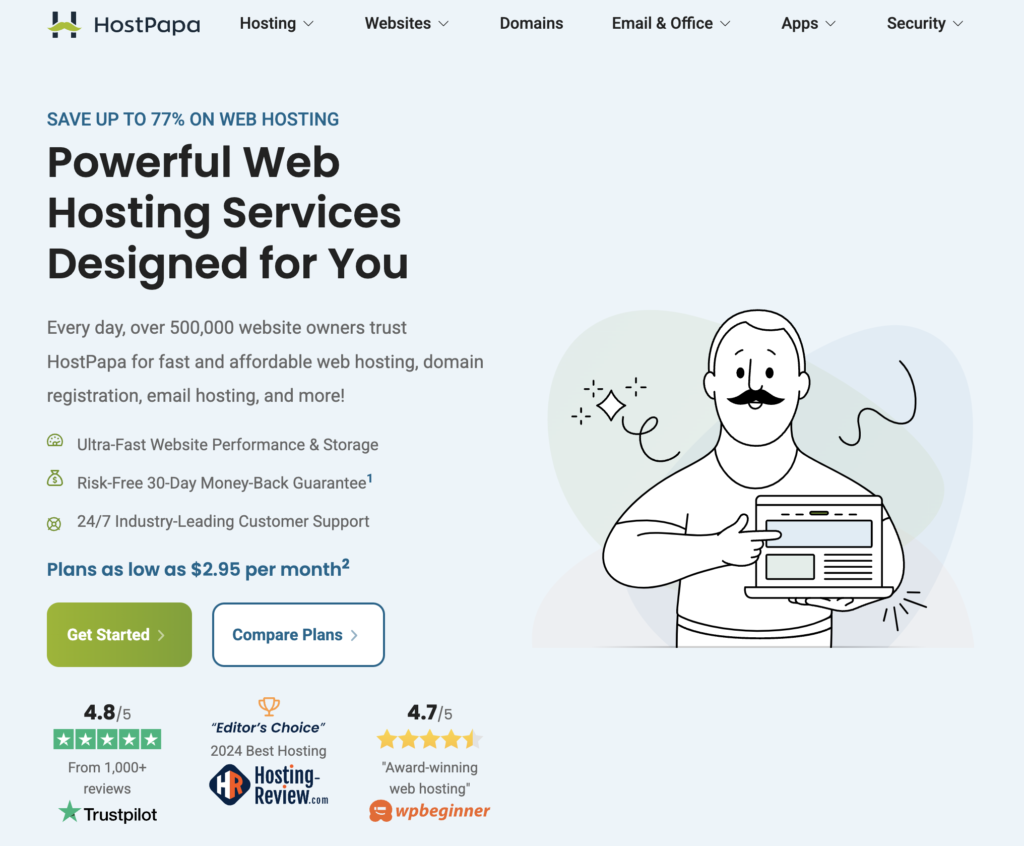
HostPapa sits in the “budget shared hosting” corner of the market with a twist. It leans hard into small-business branding, personal support, and eco-friendly hosting powered by green energy credits.
Its main data centers sit in North America and Europe, which suits readers in the US, Canada, and EU quite well. You will not get high-end cloud gear, but you do get a decent, simple platform to put a website online fast.
On most entry-level plans you get a free domain for the first year, free SSL, email inboxes, and an easy way to install WordPress. HostPapa also sells a drag-and-drop website builder and offers site migration if you move from another host.
So who does this setup serve best?
HostPapa is great for:
- First blogs and personal sites on a tight budget
- Low-traffic niche sites and content projects
- Simple business sites for local services (plumbers, coaches, salons)
- Freelancers who want phone support when things break
You should look elsewhere if you want:
- High-traffic content sites or viral media projects
- Heavy e-commerce stores with hundreds of products
- Advanced developer tools, staging on all plans, and Git workflows
- Enterprise-level performance or complex custom setups
If you see your side hustle as a “let’s test this idea” project, HostPapa can work. If you are already planning for thousands of daily visitors or complex funnels, it will feel small very fast.
Plans, pricing, and key features at a glance
HostPapa offers several product lines, but side hustlers will care most about two of them:
- Shared hosting (standard cPanel style hosting)
- Managed WordPress hosting
On both types you see similar headline perks:
- Free domain name on many plans (first year)
- Free SSL certificates
- Email accounts on your own domain
- One-click WordPress install
- Website builder option
- Free site migration from many other hosts
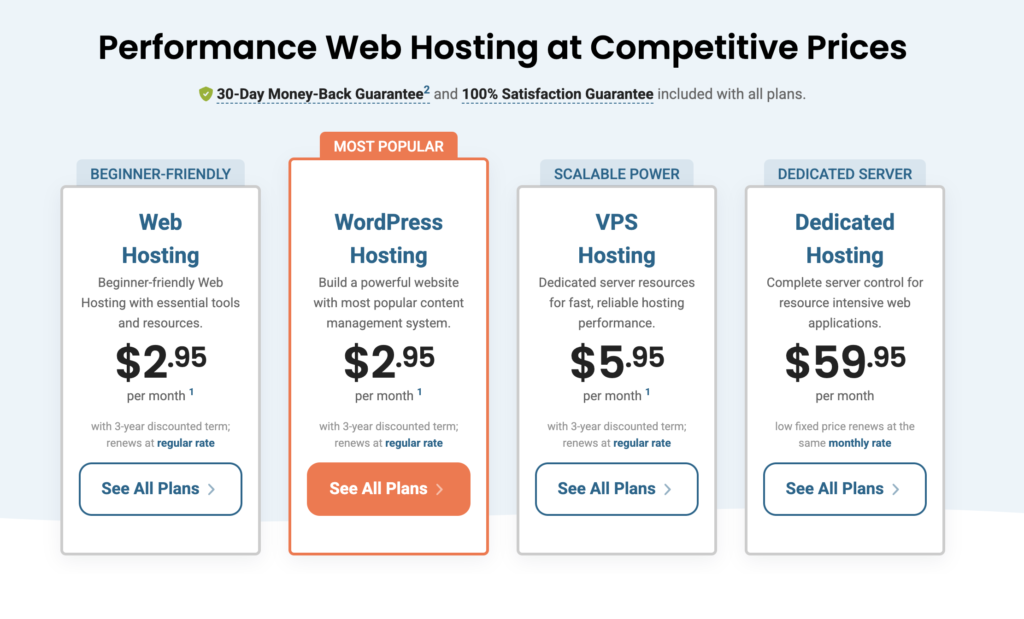
The catch is common in this price range. The best promo deals usually need you to pay 2 to 3 years upfront. After that first term, renewal prices go up, sometimes a lot.
If you treat HostPapa as a 2-year or 3-year launch pad, the numbers can still work well. You lock in a low rate, learn the basics, and only upgrade once your project earns real money.
Best use cases for HostPapa as a side hustler
HostPapa shines when your needs are simple and your main goal is to get started.
Some strong use cases:
- Content blogs and niche sites
Great for new blogs that need a home for 20 to 200 posts while you learn SEO and content. - Affiliate sites
HostPapa can easily run a small affiliate site that reviews products and earns commissions, as long as traffic is modest. - Local service sites
Plumbers, tutors, personal trainers, and cleaners can host a clean, fast brochure-style site, plus a simple booking form. - Consultant and freelancer portfolios
A freelance writer, designer, or marketer can set up a portfolio, contact form, and a small blog to build authority. - Light e-commerce
A mini store with a short product list, or an add-on shop for an existing audience, can run fine here.
Think of HostPapa as a starter home for your project. It lets you test ideas, publish, and start making your first dollar, without paying for hosting power you do not use yet. If your site grows into a full-time income, you can upgrade to VPS or move to a higher tier host when that day comes.
HostPapa Performance, Reliability, Speed, and Uptime
Speed and uptime sound technical, but they hit your wallet in simple ways. If your site feels slow, people click away. If it is down when you are at your day job, you lose leads and sales without even knowing.
For most side hustlers, HostPapa lands in the “good enough for a new site” camp. It is not built for massive spikes, yet for small blogs and early stores it usually holds up.
Tests and user reviews through 2024 show average load times that match many big-name budget hosts. When traffic is light, pages load in a second or two with a simple theme. When you stack heavy page builders and lots of plugins, things slow down, as they do on most shared hosts.
Uptime is advertised around 99.9 percent. Real users report solid reliability, with the odd short outage. No shared host is perfect, but HostPapa does not stand out as worse than rivals in this bracket.
The key is to match your expectations to your plan. For a new side hustle, you want “stable and decent” more than “blazing fast at any cost”.
Website speed for small blogs and stores
On shared hosting your site shares resources with many others on the same server. When your traffic is low, that is fine. You get a slice of power for a tiny price.
The pattern many users see looks like this:
- Brand new blog with a few posts loads quickly
- Traffic grows to a few hundred visits a day, still fine
- A post goes viral on social media, then things slow or even time out
HostPapa is not alone here. Most budget hosts behave in a similar way. Their shared plans can handle normal side hustle traffic, but they are not built for your big breakout moment.
You can help speed along by:
- Picking a data center near your main audience
- Using lightweight themes and fewer heavy plugins
- Turning on caching tools and a free CDN like Cloudflare
Compared with Bluehost or HostGator, HostPapa feels similar on speed for small sites. Hostinger often benchmarks a bit faster, while SiteGround tends to win on performance but at a higher cost.
For a realistic side hustle, HostPapa is fast enough to start. If you plan a traffic-heavy content site from day one, aim higher.
Uptime and stability when your side hustle starts to grow
HostPapa’s 99.9 percent uptime claim sounds huge. In practice, that still allows several hours of downtime per year.
For a side hustler who works nights and weekends, that usually looks like:
- The site is up almost always
- Short outages happen now and then, often fixed fast
- Rare longer issues, which support helps with
Most shared hosts share this pattern. The risk is small if your site earns a few hundred dollars a month. When you hit the point where every hour offline hurts, you should budget for a better plan.
At that stage you can either move to HostPapa’s VPS, or switch to a premium provider with stronger performance.
Can HostPapa Support help non-techies?
Support is where HostPapa leans into its small-business theme. You get:
- 24/7 live chat and phone support
- Email support
- A knowledge base with guides and tutorials
- One-on-one onboarding calls on many plans
If you feel nervous about connecting a domain, setting up email, or installing WordPress, this level of hand-holding helps a lot.
Many users praise HostPapa’s agents for friendly help with basic tasks such as:
- Pointing a domain from another registrar
- Fixing common WordPress errors
- Email setup on phones and laptops
Limits show up when you ask for custom development help or complex fixes. Like most budget hosts, support staff are trained for standard setups. Deep debugging and custom code are on you or a hired developer.
You can also hit long wait times during busy hours, especially on phone support. For a side hustler who values human help over rock-bottom pricing, the trade-off often feels fair.
Real Value for Side Hustle Websites
Money matters when your site is still a side project. You want low startup costs, but you also want a clear view of what your bill looks like a year or two from now.
HostPapa’s shared and WordPress plans are often priced in the same range as Bluehost or HostGator on sale. Hostinger can be cheaper at promo rates, while SiteGround usually costs more.
The big picture:
- You pay a low promo price if you commit for 2 or 3 years
- Renewal prices jump after that term
- You can keep costs sane by skipping extras you do not need
Let us walk through this in simple terms.
Shared and WordPress hosting plans explained in plain English
Think of HostPapa’s plans as a ladder:
- Entry-level shared plan
One site, modest resources, but all the basics. Good for a single blog, a freelance portfolio, or a simple local business site. - Mid-tier shared or WordPress plan
Usually lets you host more than one site with more storage and better performance. Works well if you run a main site plus a couple of test projects. - Higher shared / WordPress tier
Adds extra tools like better backups and performance perks. Can suit busy side hustles or small agencies, but many beginners will not need it.
For most Dot Com Hustle readers, the entry-level or mid-tier plan is enough.
- A freelance writer can start with the lowest plan, create a clean portfolio, and publish writing samples.
- An Etsy seller adding a basic site as a home base can still use that starter option.
- Someone testing two or three niches at once might jump to the mid-tier, so all sites sit on one account.
Starting too big wastes money. Begin small, upgrade only when traffic and income give you a reason.
Hidden costs, renewal pricing, and add-ons to watch
Like most budget hosts, HostPapa tempts you with low first-term prices. After 1 to 3 years, your bill resets at the regular rate.
You can expect something like:
- Promo rate that feels “wow, that is cheap”
- Renewal that can be double, sometimes more
You also see optional extras in the cart:
- Automated backups
- Advanced security tools
- Domain privacy
- SEO and marketing add-ons
A lean setup for a new side hustler could look like this:
- Basic shared or WordPress plan on sale
- One domain name
- Free SSL
- Free backup plugin for WordPress
- Free theme or low-cost premium theme if you want a nicer look
With this stack, many readers will spend roughly the cost of a few coffees each month spread across the term. Even at renewal, the price is still lower than many full-time software tools you might use.
Key features that matter and what is fluff
HostPapa, like other hosts, loves long feature lists. Not all of them help you move the needle.
Features that matter early:
- Free SSL to keep your site secure and trusted
- Email accounts on your domain so you look professional
- Easy WordPress install and updates
- One-click backups or a simple backup plugin
- Free website migration if you already have a site elsewhere
These help you write, publish, and avoid scary mistakes.
Features that feel like fluff at the start:
- Fancy SEO toolbars inside the hosting panel
- Premium templates you do not really need
- Marketing credits you never use
- Overcomplicated security bundles for tiny sites
Focus on what supports writing content, collecting leads, and earning that first online dollar. You can layer extra tools once your site pays for them.
HostPapa vs Other Budget Hosts
HostPapa sits in a crowded market. Bluehost, Hostinger, and SiteGround all chase similar customers, but each takes a slightly different angle.
Here is a quick side-by-side view to help you choose where to plant your flag.
How HostPapa stacks up against Bluehost, Hostinger, and SiteGround
A simple way to compare hosts is to ask, “What do they care about most?”
| Host | Best for | Price feel | Support strength |
|---|---|---|---|
| HostPapa | Small-business users and side hustlers | Budget-friendly | Strong for beginners |
| Bluehost | Beginners who like WordPress branding | Similar to HostPapa | Mixed, but well-known |
| Hostinger | Lowest promo prices and global locations | Very low at start | Decent, more self-service |
| SiteGround | Performance-focused users and techier folks | Higher | Strong, more advanced |
HostPapa often matches Bluehost and Hostinger on promo rates, but sets itself apart with its green hosting pitch and strong phone support. Its data centers in North America and Europe are fine for most readers on Dot Com Hustle.
If your top priority is price, Hostinger can edge it out. If you care more about performance and are willing to pay more, SiteGround wins. If you want human help, a small-business feel, and clear tools, HostPapa sits in a comfortable middle.
Pros and cons of HostPapa
Pros of HostPapa for side hustlers:
- Beginner-friendly setup with one-click WordPress
- Free domain and SSL on many entry plans
- Phone and chat support that actually picks up
- Eco-friendly branding with green energy credits
- Focus on small-business use, not just generic mass hosting
Cons of HostPapa for side hustlers:
- Renewal prices can jump a lot after promo term
- Shared hosting limits show when traffic spikes
- Not ideal for heavy e-commerce or huge content sites
- Some upsells and add-ons crowd the checkout page
If you are a first-time blogger, freelancer, or local business owner who wants a simple, stable start, HostPapa is a fine pick. If you already plan big traffic or complex stores, you should keep shopping and budget for a more powerful host.
Should You sign up for HostPapa?
HostPapa fits a clear slice of side hustlers. It suits first-time bloggers, freelancers, small local businesses, and idea testers who want a low-stress path to get online. You get fair performance, human support, and enough tools to launch without learning deep tech.
The limits show when your project turns into something bigger. Once traffic grows or your store carries a lot of products, shared hosting starts to strain. At that point you either move up to VPS or shift to a more performance-focused host like SiteGround or a managed WordPress provider.
If HostPapa sounds right for you, the next step is simple. Pick a starter plan, choose a niche, install WordPress, and write your first three posts this week. If it does not feel like a match, look at Hostinger for lower prices or SiteGround for stronger speed.
The important thing is to start. The perfect host will not build your dream. Taking action on your side hustle will.
No responses yet