
Buffer: A Calm Social Media Scheduler for Busy Side Hustlers
If you’ve ever tried to post on Instagram during a lunch break, answer customer DMs at night, and still write product listings, you know the feeling. Your side hustle doesn’t fail because you can’t create. It stalls because posting every day turns into a daily scramble.
This Buffer review looks at Buffer as it really is: a social media scheduler that helps you plan, publish, and check basic results without turning your week into a spreadsheet marathon. Buffer also supports teamwork features, which matters once you bring in a VA or a partner.
You’ll see what Buffer does well for side hustlers, where it feels limited, and when paying for it makes sense.
Disclosure: our content is reader-supported, which means we may earn commissions from links at no cost to you.
What Buffer Helps You Do
Most side hustlers don’t need a “command center.” They need a simple routine that keeps content moving, even on weeks when life gets loud. Buffer is built for that kind of work.

Scheduling that feels like setting up your week on Sunday night
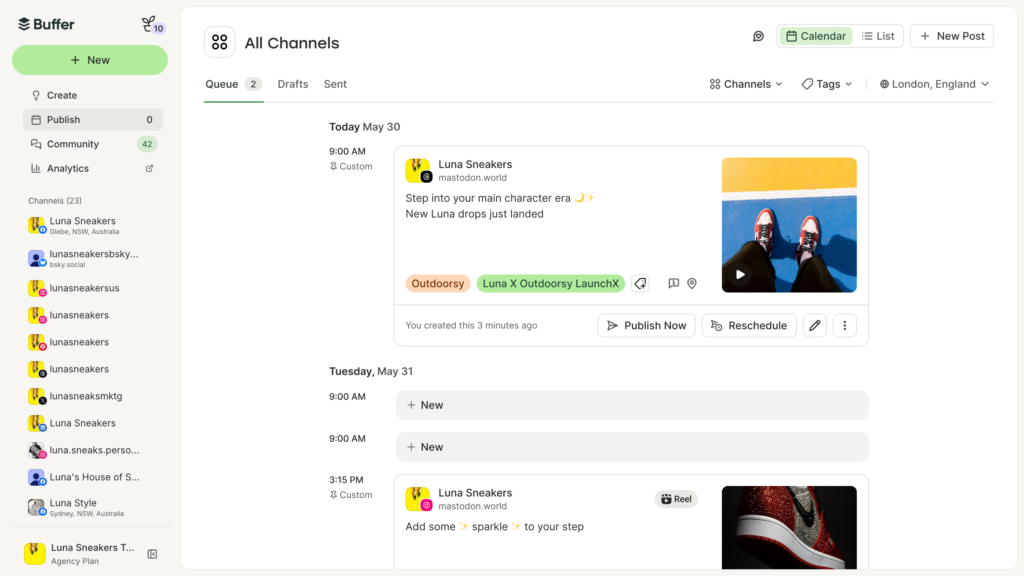
Buffer’s core strength is scheduling. You pick posting times, then feed content into a queue. After that, Buffer releases posts on schedule, like a slow cooker you set in the morning so dinner happens without panic.
The calendar view makes planning feel visual. You can spot gaps, fix overlaps, and avoid posting three promos in a row. Also, you can draft, edit, and re-order posts fast, which matters when you’re batching content in short bursts.
Buffer supports the major social networks, and you connect channels inside your account. Still, features can vary by platform, so it’s smart to test your exact channel mix early. Some networks allow more formatting options than others, and each platform has its own rules.
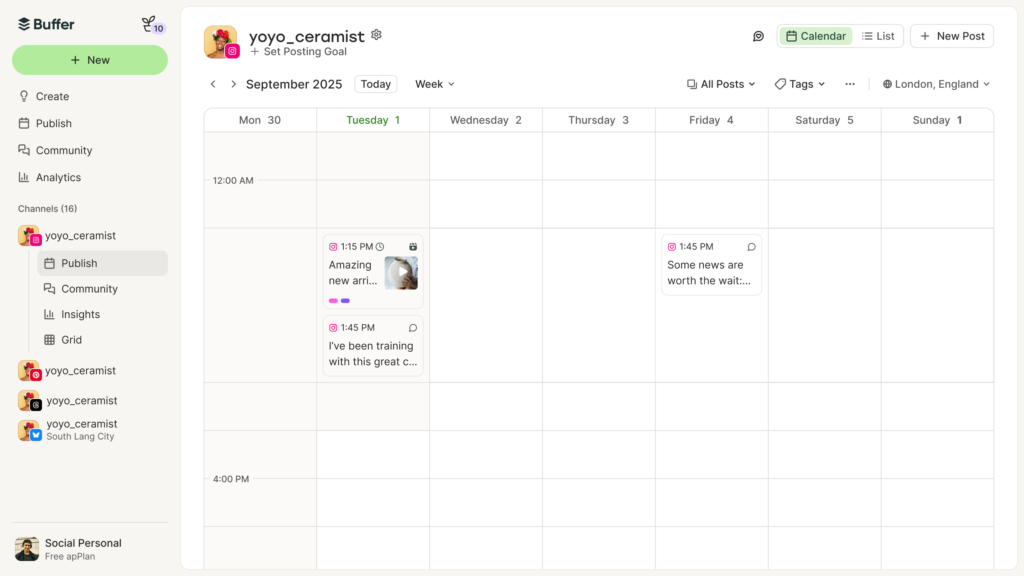
Here’s a mini-scenario that fits real life. You sell printable planners on Etsy and post on Instagram and Pinterest. On Sunday night, you write 10 short captions, add images, and schedule everything in about 30 minutes. Now your week has breathing room. Instead of thinking “I need to post,” you can think “I need to pack orders” or “I need to pitch a partnership.”
Buffer doesn’t make content for you. It makes posting predictable, which is often the bigger win.
Simple analytics that tell you what to repeat, and what to drop
Buffer’s analytics won’t bury you in charts. It highlights the basics: which posts performed best, what engagement looks like over time, and when your audience tends to respond. For side hustlers, that’s usually enough.
Because you’re not running a research lab, you need quick answers, like:
- Did that product demo get saves and shares?
- Do quote posts bring profile clicks, or just likes?
- Which posting times get replies and DMs?
With those signals, you can repeat what works and stop wasting effort. If a certain hook brings link clicks to your affiliate blog, make it a weekly series. If your “behind the scenes” posts lead to more inquiries for coaching, schedule them more often.
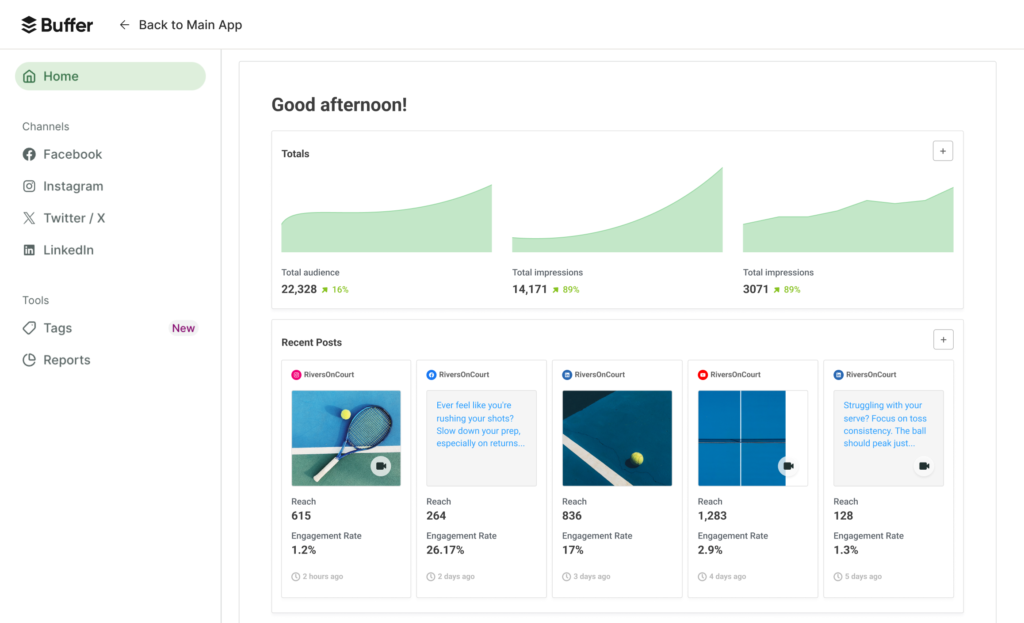
On the other hand, Buffer isn’t built for deep reporting across many brands, advanced competitor tracking, or complex attribution. If you need that level of analysis, you’ll feel the ceiling. For most side hustlers, though, simple analytics keep you focused and moving.
A good tool doesn’t just show results, it helps you decide your next post in under five minutes.
The Real Costs and the Fine Print
Buffer’s pricing can feel simple at first, then a little tricky once you scale. The key is understanding what “scales” in Buffer. Usually, it’s tied to channels, users, and plan tiers.
Instead of chasing today’s exact price, look at the structure. Ask, “How many channels do I need now, and how many will I need in six months?” Then match that to the tier that fits your workflow.
Free plan vs paid plans, what changes when you upgrade
The free plan is best as a test drive. It lets you connect a limited number of channels and schedule a smaller number of posts. For many people, that’s enough to prove the habit.
Paid plans generally increase your channel count, expand scheduling limits, and unlock stronger analytics. They also tend to add team features, like additional users and approval steps.
This quick table shows a practical way to choose, based on common side hustle stages:
| Your situation | What you’re trying to do | Buffer plan approach |
|---|---|---|
| Solo beginner | Post consistently on 1 to 2 channels | Start free, build the habit |
| Growing creator | Batch weekly content, track what performs | Upgrade for more channels, more scheduling, better analytics |
| Small team or VA help | Share drafts, keep brand voice steady | Pay for extra users and approvals |
A paid plan can pay for itself if it saves you even one or two hours each week. That time can go into client work, product creation, or rest, which is also part of staying consistent.
Limits that can surprise you when you start posting more often
Buffer feels roomy when you post three times a week. It can feel tight when you post twice a day across several channels.
Here are the most common friction points to watch:
- Channel counts: Adding “just one more” social profile can push you into a higher tier.
- Post caps: Batching a month of posts may hit limits sooner than you expect.
- Approvals: Team workflows can require the right plan to avoid messy handoffs.
- Reporting depth: If you want client-ready reports, the basics may not satisfy you.
- Platform quirks: Some post types and features depend on what the network allows.
Before you commit, map your next 30 days of posting. Limits feel different when you batch, not when you post on the fly.
Is Buffer the Right Tool?
Buffer shines when your goal is steady output and less daily stress. Still, it’s not for every workflow. The easiest way to decide is to picture your week, then see where Buffer fits.
Buffer is a strong fit if you want simple, steady posting
Buffer tends to work best for people who want a calm system they’ll actually use. It’s a good match for:
- Solopreneurs selling products (Etsy, Shopify, digital downloads)
- Creators building an audience for coaching or consulting
- Affiliate marketers promoting blog posts and email lead magnets
- Local businesses posting offers, updates, and testimonials
- Anyone who batches content in one or two sessions per week
The interface stays out of your way, so you keep momentum. As a result, your marketing starts to feel like a routine, not a daily interruption.
Consider other tools if you need heavy reporting, ads, or deep automation
Some side hustles grow into mini-agencies. Others need tight customer messaging. In those cases, Buffer can feel too light.
Look at other categories of tools if you need:
- Advanced analytics suites for deeper reporting and cross-channel insights
- A social inbox and CRM-style setup for high-volume replies and lead tracking
- AI-heavy content tools for fast ideation and high-volume variations
- Agency-focused platforms for many brands, complex approvals, and client reporting
If you manage lots of client accounts, run paid social at scale, or need strict approval chains, you may outgrow Buffer sooner. Buffer can still be part of your stack, but it might not be the center.
So What?
Buffer is a smart pick for side hustlers who want consistent posting without turning social media into a second job. Start with the free plan if you’re building the habit and only need a couple channels. Pay when you’re batching content weekly, posting more often, or bringing in a VA. Skip Buffer if your work depends on deep reporting, complex approvals, or agency-level client dashboards.
The simplest next step is also the best test: try Buffer for a week, schedule five posts, then check what gets clicks, saves, and replies. Consistency gets easier when your calendar stops fighting you.
No responses yet