
Liquid Web: The Best Managed Hosting for Serious Websites
Shopping for the “best of the best” managed hosting can feel like buying a work truck online. Every listing says it’s strong, but you want to know what happens when you actually load it up.
This Liquid Web review is for people running real projects, stores, memberships, or client sites, who want managed help without giving up control later. Liquid Web isn’t a bargain host for hobby blogs, it’s built for sites that can’t afford random downtime.
Below, you’ll see what you really get, what pricing looks like after promos, how performance and support hold up, and how Liquid Web compares to WP Engine and Kinsta in day-to-day use.
Disclosure: our content is reader-supported, which means we may earn commissions from links at no cost to you.
What You Actually Get with Liquid Web Managed Hosting
Liquid Web is a “managed hosting” brand that covers more than WordPress. In practice, it’s a ladder: managed WordPress for convenience, then VPS and cloud when you need more control, then dedicated servers when you need muscle.
“Managed” shows up in the boring moments that usually break your week: updates, backups, security help, migrations, and a support team that will talk through server issues instead of sending you a link and disappearing. If you’ve ever tried to fix a broken plugin at midnight, you know why that matters.
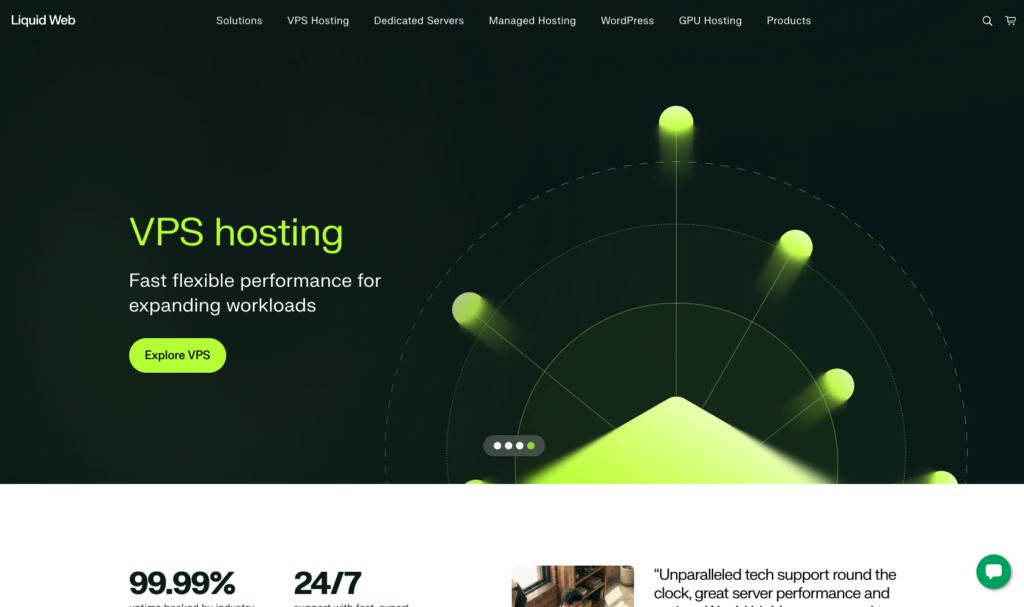
Liquid Web’s lineup also pairs well with growth. A side hustle can start on managed WordPress, then move to VPS when you need custom caching, more memory, or multiple client installs under one roof. You don’t have to re-learn a whole new provider every time your traffic jumps.
For independent context on where Liquid Web sits in the market, PCMag’s take is useful, especially on who it’s for and who should skip it: PCMag’s Liquid Web hosting review.
Managed WordPress: The Tools that Matter
Liquid Web’s managed WordPress plans (sold under its Nexcess offering) are designed to remove the “site babysitting” work. The basics you want are here: free SSL, daily backups, automatic updates, and 24/7 support. Staging and assisted migrations show up on higher tiers, which is important if you like testing changes before you push them live.
Here’s a practical snapshot of the tiers and what they’re best at (intro pricing varies by billing term and promos, but these reflect current entry points as of February 2026):
| Plan | Intro price (from) | Best for | Standout managed features |
|---|---|---|---|
| Launch | $5 to $6 per month | 1 site that needs stability | Daily backups, SSL, support |
| Thrive | $10 to $12 per month | Growing sites, more storage | Daily backups, SSL, support |
| Elevate | $20 to $24 per month | Multiple sites, safer changes | Staging, assisted migration |
A real-world use case: a small WooCommerce shop doing steady sales. The owner doesn’t want to hire a sysadmin, but also can’t risk losing orders. Daily backups plus a host that will help troubleshoot checkout issues is the difference between “annoying day” and “refund week.”
Security is part of the pitch too. You’re not buying a magic shield, but you are buying a team and platform that treats DDoS protection, patching, and monitoring as standard work, not an upsell conversation.
VPS, Cloud, and Dedicated Servers: Why Liquid Web is Premium
If managed WordPress is a tidy apartment, VPS is your first house. You get more freedom, more responsibility, and more room to build.
Liquid Web’s VPS plans are often the first step up for agencies and builders who need root access, custom stacks, and the ability to scale RAM and storage as projects grow. Cloud options add flexibility when your traffic changes a lot, and dedicated servers are for heavy workloads, high traffic, or custom environments that don’t fit a shared platform.
Many Liquid Web plans are built around SSD storage, and control panels like cPanel or Plesk are common options (though licenses can affect cost). The point is choice. You can run a tight WordPress stack today, then host 20 client sites tomorrow without begging a shared host to raise limits.
Example: a small agency hosting 20 client sites. Shared hosting starts to feel like a crowded bus, slow at peak hours, and one bad neighbor can ruin the ride. A managed VPS gives that agency better isolation, more consistent performance, and support that can actually talk server settings when needed.
Pricing Breakdown
Liquid Web pricing can look almost too good at first glance, especially on entry promos. Current promos often put managed WordPress and some cloud entry offers around $4 to $6 per month, VPS entry tiers around $5 to $20 per month, and dedicated offers commonly in the $44 to $199 per month range, depending on hardware and promo terms.
The catch is renewal. Promos are often a “first term” discount, and renewals can jump hard (sometimes double or more). Liquid Web isn’t the only host that does this, but it matters more here because you’re buying a premium lane.
A simple way to estimate real cost:
- For a 12-month view, add your promo months plus expected renewal months (ask support what renewal will be for your exact plan).
- For a 24-month view, assume the second year is mostly renewal pricing, then decide if the performance and support justify it.
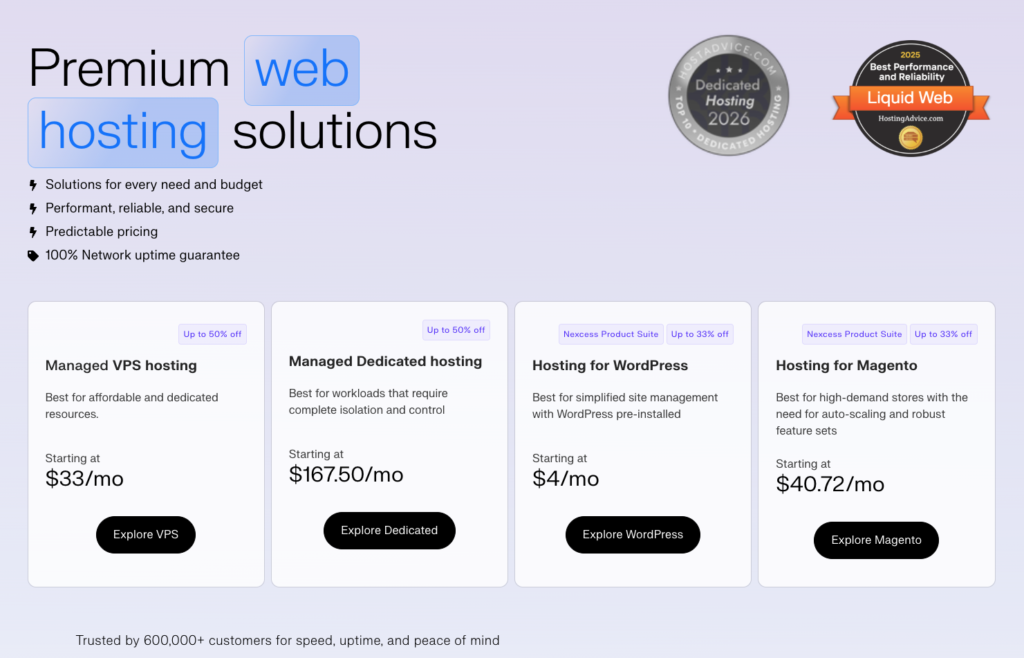
Before you buy, ask sales or support three direct questions: What’s the renewal rate, what’s included in backups and retention, and what does a “migration” cover for your setup (site, DNS, email, staging, downtime window). Liquid Web’s own pricing hub is helpful for checking live promos and what’s bundled: Liquid Web pricing and fees.
Common Add-ons
This is where “good deal” turns into “why is my invoice higher?”
- Backup upgrades and longer retention: daily backups are common, but longer history can cost more.
- Extra storage or bandwidth: easy to ignore until you hit limits.
- Email hosting: often not included in managed WordPress tiers.
- Control panel licenses: cPanel or Plesk can add recurring fees.
- Extra IPs: needed for some setups.
- Advanced security services: useful, but check what’s already included.
- Higher support tiers: most people won’t need this, but some teams do.
- Overages: learn how they’re billed, then set alerts.
Quick notes checklist before checkout: renewal price, backup retention length, migration scope, email plan, and any license fees.
Performance, Uptime, and Support
How Liquid Web Holds up Under Pressure
Liquid Web’s big promise is reliability. It offers a 100 percent network and power uptime SLA, which is a strong statement (and it usually comes with service credits if they miss it). In real life, third-party monitoring and tests often report overall uptime in the high 99.9 range, with some periods showing perfect runs during shorter test windows.
On speed, Liquid Web tends to score well in response times and load times in third-party testing. That won’t fix a bloated theme or eight tracking scripts, but it does mean the server layer usually isn’t the bottleneck.
What does “good performance” look like when you’re running a business site?
Your pages feel snappy on mobile, checkout stays stable during promos, and you see fewer odd errors like timeouts when traffic spikes. That’s the kind of boring consistency that makes revenue feel less fragile.
For a mix of testing plus user feedback, HostScore’s monitoring-based write-up is a helpful read: HostScore’s performance review of Liquid Web.
Support Experience
What Does 24/7 Support Look Like?
Liquid Web support is available 24/7 through the usual channels (chat, phone, tickets). The best support stories often sound simple: a real person reads your message, checks logs, and tells you what to do next. The worst stories tend to involve tickets that take longer than expected, or issues that need escalation.
A practical tip for faster help: write a clear subject line, include screenshots, paste the exact error text, and share relevant logs when you can. If the issue is urgent (store checkout, site down), ask directly for escalation.
If you’re moving from another host, confirm the “white-glove migration” details before you schedule it: your downtime window, whether they help with DNS, and how email is handled. Many migrations go smoothly, but surprises usually come from email and DNS, not WordPress itself.
Liquid Web vs WP Engine vs Kinsta
Which Host is the Truly the Best?
This decision gets easier when you stop comparing feature checklists and start comparing how you’ll use the host.
Liquid Web usually wins on flexibility. You can start with managed WordPress, then move into VPS or dedicated as you grow, without switching providers. It also tends to run aggressive entry promos, which can make the first year easier on cash flow.
WP Engine is often the simplest “managed WordPress and done” choice when you know you’ll stay in the WordPress lane. As of February 2026, WP Engine’s annual-billed plans include Startup at $30 per month (1 site), Professional at $55, Growth at $109, and Scale at $276. It’s not cheap, but the workflow and staging environments are built for WordPress teams.
Kinsta is widely seen as a premium managed WordPress option with a polished dashboard and a performance-first approach on Google-based infrastructure. It’s usually priced in the premium tier, so it fits best when you care about speed, clean tooling, and support that speaks WordPress fluently.
- Pick Liquid Web: if you want a growth path to VPS or dedicated later, you like strong promos, or you manage mixed workloads.
- Pick WP Engine: if you want a WordPress-focused platform with clear visit tiers, built-in environments, and predictable WordPress workflow.
- Pick Kinsta: if you want a premium managed WordPress experience with a strong performance reputation and clean developer tools.
Quick recommendations by site type
- Solo content site on a budget: Liquid Web managed WordPress Launch works if you want managed basics and don’t need staging yet.
- WooCommerce store with real revenue: Liquid Web managed WordPress Thrive or Elevate is a safer fit, backups and support matter more than saving $10.
- Agency managing many client installs: Liquid Web VPS is a strong step up when shared hosting starts wobbling under load.
- Membership site with traffic spikes: Liquid Web cloud or a higher managed WordPress tier makes sense, then monitor renewal pricing closely.
- Small SaaS or app needing server control: Liquid Web VPS (or dedicated if resource-heavy) gives you the knobs you’ll eventually want.
A Clear Verdict
Liquid Web is a strong pick when you need managed hosting that feels like it was designed for people who build and sell online, not people testing a blog theme. The best reasons to choose it are the scaling path (WordPress to VPS to dedicated), capable 24/7 support, and a serious uptime posture backed by an SLA.
The main reasons to pass are also simple: renewal pricing can jump, and support experiences can vary when a ticket needs deeper investigation. If you want WordPress-only simplicity and don’t plan to move beyond managed WordPress, WP Engine is often the cleanest fit. If you want a premium WordPress workflow and don’t mind paying for it, Kinsta is a strong alternative.
Before you commit, send one pre-sales question to support and ask for your exact renewal rate in writing. That one step turns a good promo into a long-term plan you won’t regret.
No responses yet