
Turn Loom Recordings Into a Profitable Loom Tutorial Service
You already record quick Loom videos to explain things to clients, VAs, or teammates. They save you time, clear up confusion, and keep projects moving.
Most solo creators stop there. The videos go into random links and messy inbox threads, then disappear. No structure, no recurring revenue.
With a bit of intent, those same clips can become a loom tutorial service that clients pay for every month. In this guide, you’ll see how to turn simple screen recordings into clear offers, clean packages, and real income.
What A Loom Tutorial Service Actually Sells
Image created with AI
You are not selling “videos.” You are selling brain space and consistency.
Clients pay for three things:
- Clarity: No more guessing how a process works.
- Speed: New hires and clients get up to speed in hours, not weeks.
- Memory: The business keeps the knowledge, even when people leave.
Tools like Loom already do the heavy lifting on the tech side. Your value comes from deciding what to record, in what order, and for what outcome.
Think of yourself as a “process filmmaker.” Your job is to turn messy know-how into a simple, repeatable video path that anyone on the team can follow.
Design Simple, High-Value Tutorial Packages
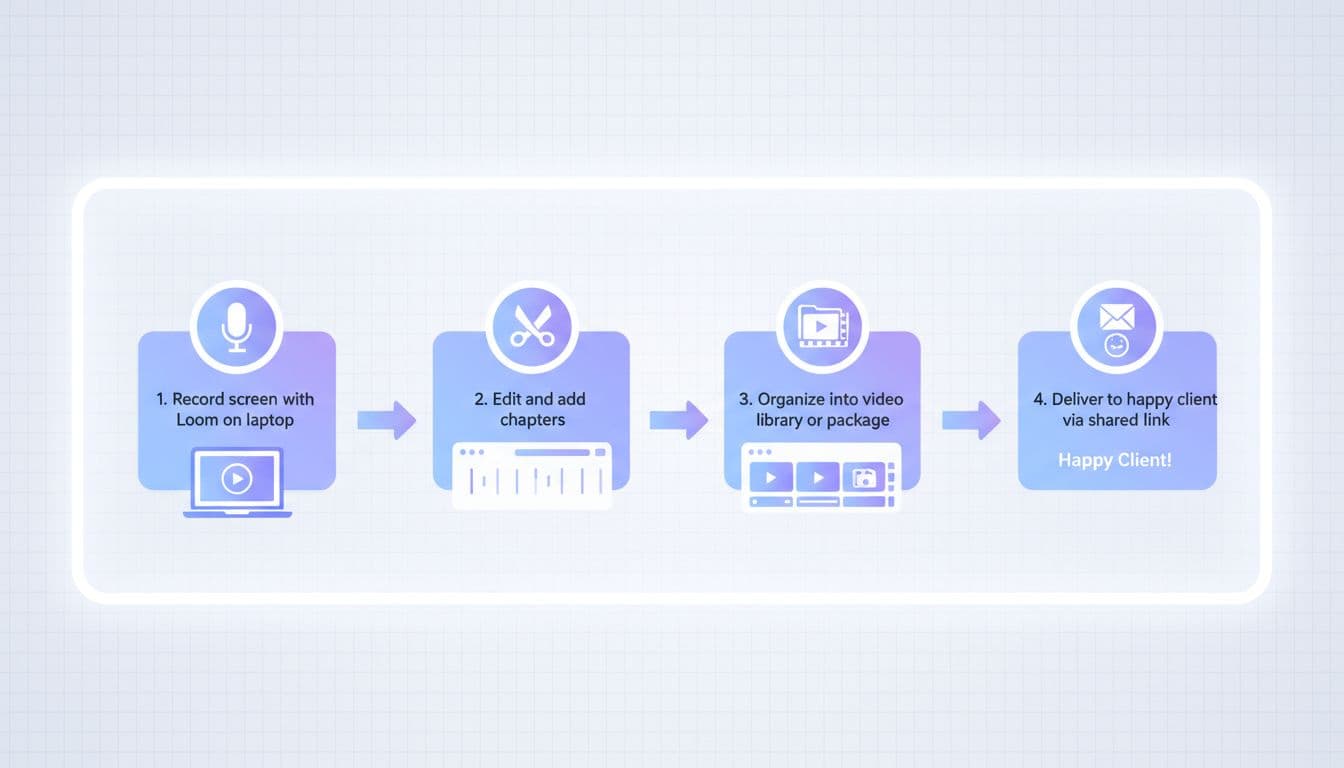
Image created with AI
Start by choosing problems that are painful, boring, and repeatable. Those are the gold mines.
Good examples:
- How a small agency onboards every new client.
- How an e‑commerce brand handles orders, refunds, and shipping.
- How a SaaS startup teaches new users their core features.
Turn each into a package, not a pile of random links. Here is a simple way to frame offers.
| Package name | Ideal client | Core deliverables |
|---|---|---|
| SOP Video Library | Busy founder with small remote team | 10–20 short process videos, playlist, simple index document |
| Product Walkthrough Kit | SaaS or app creator | Feature tours, “first 7 days” path, FAQ videos |
| Client Onboarding Series | Agencies, coaches, consultants | Welcome video, expectations, tools overview, first-steps set |
Each package should have:
- A clear outcome (“New VA fully trained in 3 days”).
- A defined number of videos and topics.
- A simple way to access everything, like one Notion or Google Doc with links.
You are not trying to look like a Hollywood studio. You are selling organized clarity.
Record Like A Pro Without Extra Gear
You do not need a DSLR, studio lighting, or a fancy mic to start. If your voice is clear and the screen is sharp, you are good.
Use Loom’s free screen recorder or a similar tool and stick to a basic checklist:
- One outcome per video
“How to create a new client folder” is a video. “How we run our entire business” is not. - Short and sharp
Aim for 3–8 minutes. If you catch yourself saying “oh and one more thing” three times, split it into another video. - Talk while you click
People want to see the exact path. Move slowly. Narrate what you are doing and why, not just where you click. - Use simple markers
Break videos into chapters or timestamps when it makes sense. Loom explains this well in their Getting started with Loom guide. - Keep your face visible when helpful
A small cam bubble builds trust, especially for onboarding and welcome videos.
Think of each video like a Lego brick. Clean, small, and easy to reuse across different clients and packages.
Package, Price, And Deliver Your Tutorials
Once you have videos recorded, the money comes from how you arrange and sell them.
Step 1: Organize
For each client, create:
- One folder or workspace for that company.
- Subfolders by process: “Onboarding,” “Sales,” “Operations,” “Support.”
- A simple index document that lists each video, link, and when to watch it.
You can mirror their internal structure so it feels native to their business.
Step 2: Price
Here is a simple starting point for solo creators and small agencies.
| Offer | What they get | Example price (USD) |
|---|---|---|
| Quick Fix Tutorial | 3–5 videos on a single process | $150–$300 |
| SOP Starter Library | 10–15 videos across one department | $500–$1,000 |
| Full Onboarding Experience | 20–30 videos plus welcome & templates | $1,200–$3,000 |
You can charge more when:
- You clean up bad existing processes.
- You write simple SOPs under each video.
- You include strategy, not just documentation.
Use Loom’s own tiers as a reference if you ever need to explain seats or limits to clients, and point them to the official Loom pricing page if they want details.
Step 3: Deliver
Delivery should feel smooth:
- Share one master document with sections and Loom links.
- Add a short “How to use this library” video.
- Offer a 1‑week support window for quick tweaks or missing steps.
Your goal is for the client to say, “I can hand this to any new hire and walk away.”
Pitching Your Loom Tutorial Service To Clients
You already know people who need this. Past clients, newsletter readers, SaaS founders on your timeline, agency owners in your network.
Make the offer clear and concrete. Here are sample scripts you can adapt.
Script 1: Existing client or warm contact
Subject: Turning your processes into a video playbook
“Hey [Name],
I noticed your team repeats the same explanations for [area, like onboarding clients or training VAs].
I help small teams turn that into a simple video playbook: short Loom tutorials, grouped by process, that any new hire can follow on day one.
For you, I’d suggest a starter library covering [3–4 key processes]. I handle recording, structure, and delivery. You get a link you can reuse for every new person.
Would you like a quick outline of what that loom tutorial service would look like for your business?”
Script 2: Cold pitch to a SaaS or product company
Subject: Reduce support tickets with simple video tutorials
“Hey [Name],
I’ve been looking at [Product] and noticed you answer a lot of the same questions in support and onboarding.
I run a tutorial service that records clear Loom-style walkthroughs for your most common use cases, then organizes them into a ‘First 7 Days’ path and FAQ library.
Clients use this to cut support tickets and speed up new-user activation.
If I sent over a 1‑page plan for [Product], would you be open to a quick look?”
Over time, you can even add an affiliate angle by promoting Loom itself in your content and emails, using a program such as the one reviewed in this Loom affiliate program guide. It is a small but neat add-on to your main income.
Start Small, Then Systemize
You do not need a big brand to sell clear instruction. You already have the skills and the tool. The missing piece is structure.
Pick one client type, one painful process, and turn it into a tiny loom tutorial service offer this week. Record the videos, bundle them, ship them, and get paid.
From there, refine your scripts, tighten your packages, and raise your prices. Your “little” Loom recordings can grow into a predictable side hustle, or even a focused micro-agency, built on clarity and simple screen shares.
No responses yet